Consistency at every pixel

This system provides the building blocks — tokens, typography, color, spacing, and components — so every designer and developer builds from the same foundation.

Principles
Three ideas guide every design decision in this system.

🧘
Calm first
Every interaction should feel effortless. No clutter, no noise — just clarity.
🔗
Token-driven
Use semantic tokens, not hard-coded values. The system adapts; your designs follow.
📐
Intentional hierarchy
One primary action per screen. Clear priority tells users where to go next.
Brand Colors
Core brand palette used across the app for interactive elements, highlights, and status indicators.
Purple / Default
#6826EA
Purple / Light
#9D77EE
Purple / Lightest
#BB9BFF
Yellow / Default
#FFC606
Pink / Default
#F20C78
Error / Red
#FB5061
Success / Green
#21C063
Blue / Default
#0000FF
Blue / Light
#6A6CFA

Dark Theme Surfaces
surface-4-dark is used as the background color. For text, use surface-4-light in dark theme.
surface_4_dark
#0F0622
surface_3_dark
#1C1334
surface_2_dark
#2E155F
surface_1_dark
#44199A
Light Theme Surfaces
Lighter shades added to support the light theme. Shades of yellow, green, and purple remain the same as existing.
surface_4_light
#F5EFE5
surface_3_light
#FFFBF6
surface_2_light
#F9F5FF
surface_1_light
#EDE0FF
Type Scale
All styles use Suisse Int'l. Specs shown as: Size · Weight · Letter Spacing · Line Height.
Display Family: Suisse Int'l
Weight: Bold
Size: 36px
Line height: 32px
Letter Spacing: 0.04
Display
Used for special cases only
Display Small Family: Suisse Int'l
Weight: Semi Bold
Size: 28px
Line height: 32px
Letter Spacing: 0.04
Display Small
Used for special cases only
Title Screen Family: Suisse Int'l
Weight: Semi Bold
Size: 24px
Letter Spacing: 0.04
Line height: 32px
Paragraph Spacing: 8px
Title Screen
Used for the main screen title, should be used only once per screen. It pairs with large body.
Title Section Family: Suisse Int'l
Weight: Medium
Size: 20px
Letter Spacing: 0
Line height: 28px
Paragraph Spacing: 8px
Title Section
Used for dividing your screen into sections. It pairs perfectly with large body.
Title Body Family: Suisse Int'l
Weight: Medium
Size: 18px
Letter Spacing: 0.01
Line height: 24px
Paragraph spacing: 8px
Title Body
Used for large amounts of content. Pairs with large body and default body.
Body Large Bold Family: Suisse Int'l
Weight: Semi Bold
Size: 16px
Letter Spacing: 0.10
Line height: 20px
Paragraph Spacing: 8px
Body Large Bold
Emphasises and highlights important words or small titles. It's used in expressive components, such as buttons and links.
Body Large Family: Suisse Int'l
Weight: Regular
Size: 16px
Letter Spacing: 0
Line height: 20px
Paragraph Spacing: 8px
Body Large
Used in line with large body, or when you need a large link.
Body Regular Bold Family: Suisse Int'l
Weight: Semi Bold
Size: 14px
Letter Spacing: 0.1
Line height: 20px
Paragraph Spacing: 8px
Body Regular Bold
Emphasises and highlights important words or small titles. It's used in expressive components, such as buttons and links.
Body Regular Family: Suisse Int'l
Weight: Regular
Size: 14px
Letter Spacing: 0
Line height: 20px
Paragraph Spacing: 8px
Body Regular
When you need something a little smaller than large, or to compliment large body.
SUBTITLE Family: Suisse Int'l
Weight: Regular
Size: 12px
Letter Spacing: 0
Line height: 140%
Paragraph Spacing: 8px
SUBTITLE
Used along with title section / title body.

Font Weights
All available weights of Suisse Int'l used in the design system.
ThinWeight: 100
Suisse Int'l Thin
UltralightWeight: 200
Suisse Int'l Ultralight
LightWeight: 300
Suisse Int'l Light
BookWeight: 350
Suisse Int'l Book
RegularWeight: 400
Suisse Int'l Regular
MediumWeight: 500
Suisse Int'l Medium
Semi BoldWeight: 600
Suisse Int'l Semi Bold
BoldWeight: 700
Suisse Int'l Bold
BlackWeight: 900
Suisse Int'l Black
Foundation Tokens
The base spacing scale. All semantic tokens reference these values.
size-10
10px
size-12
12px
size-20
20px
size-40
40px
size-60
60px
NameValue
size-1010px
size-1212px
size-2020px
size-4040px
size-6060px

Vertical Semantic Tokens
Controls spacing between stacked elements — cards, chips, and components on the vertical axis.
NameTokenValue
cards-between-largesize-4040px
cards-between-smallsize-2020px
chips-betweensize-1010px
component-defaultsize-2020px
Horizontal Semantic Tokens
Horizontal spacing separates sections and components side by side. Also applies to spacing between components.
NameTokenValue
between-section-largesize-6060px
between-section-smallsize-4040px
between-textsize-2020px
between-optionssize-1212px
component-defaultsize-2020px

Usage
Real examples showing how each spacing token is applied across the app.
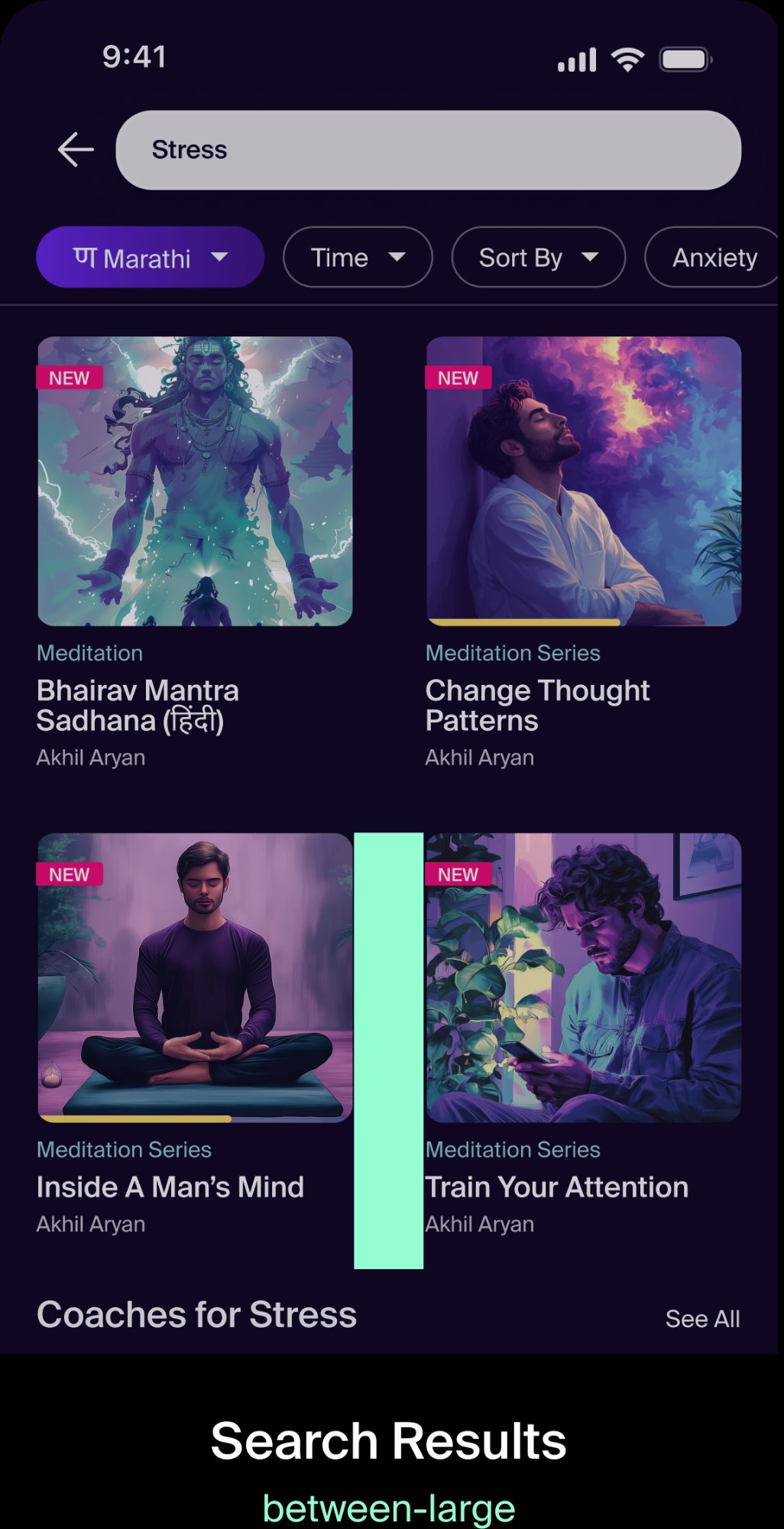
between-large usage
Search Results
cards-between-large

Cards in a 2-column search results grid use between-large (size-40, 40px) for the vertical gap between rows of content.
between-card-small usage
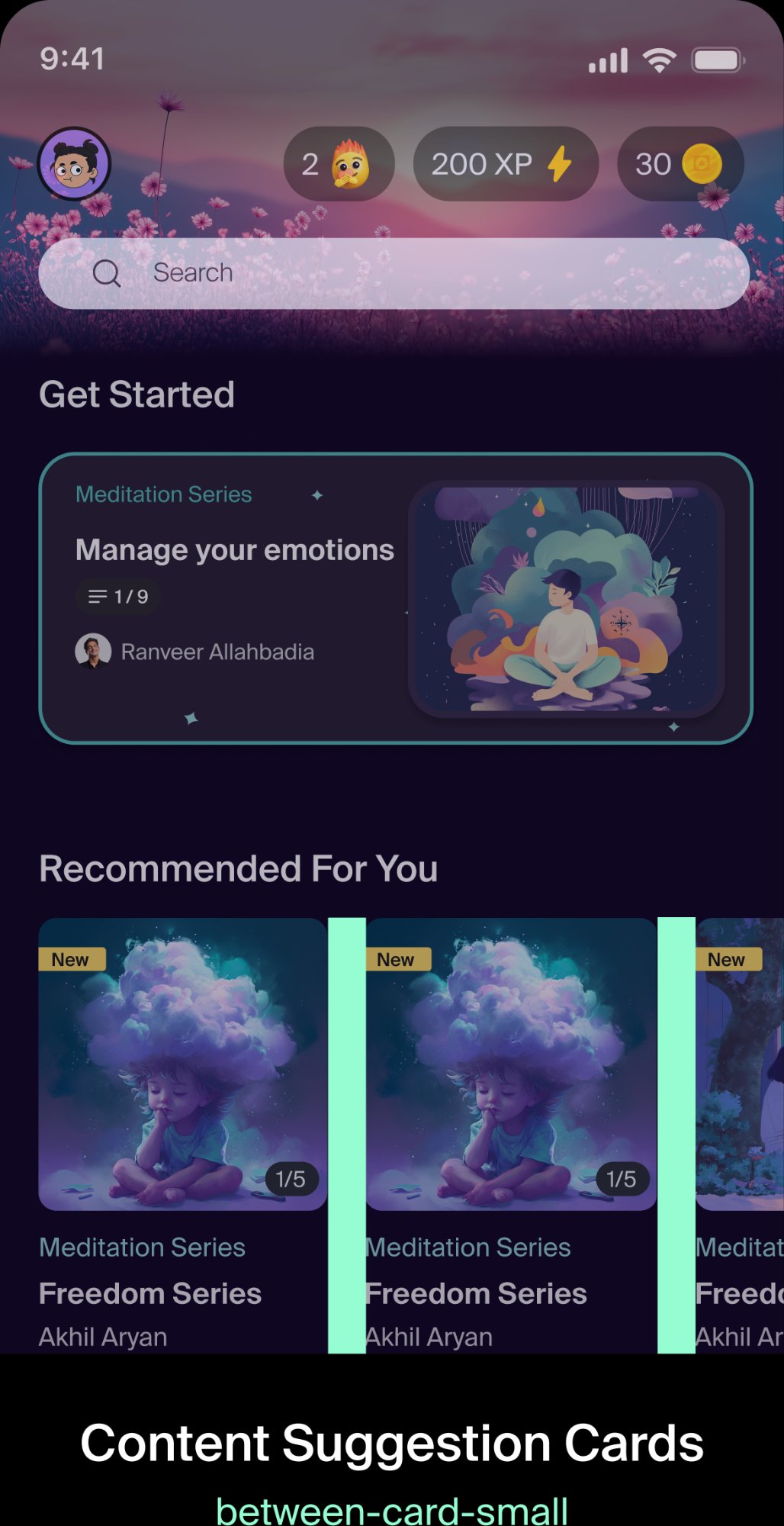
Content Suggestion Cards
cards-between-small

Horizontally scrolling content suggestion cards use between-card-small (size-20, 20px) for the gap between each card.
between-chips usage
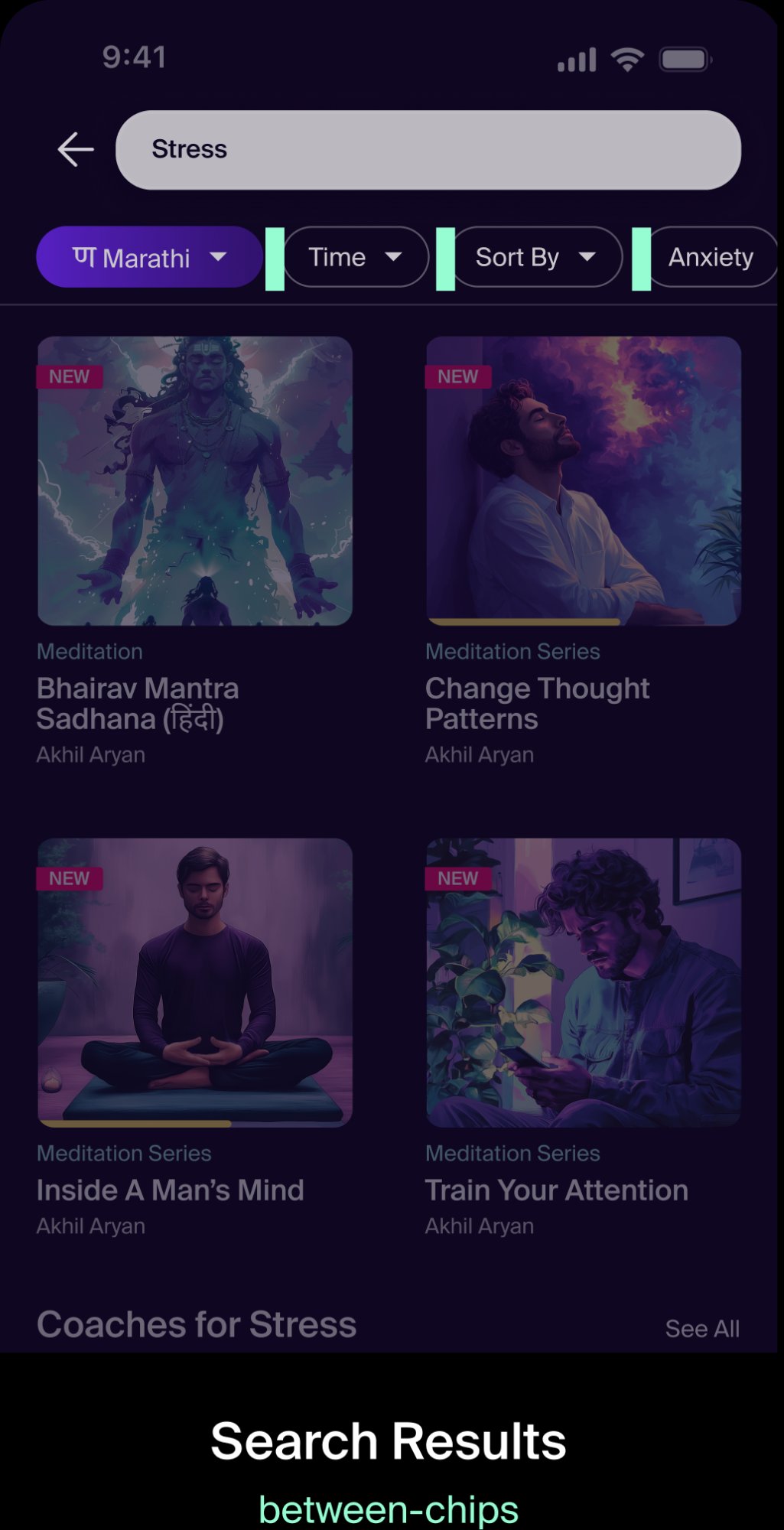
Search Results — Filter Chips
chips-between

Filter chips placed horizontally next to one another use chips-between (size-10, 10px). Chips scroll off screen when there are more than fit.
between-text usage
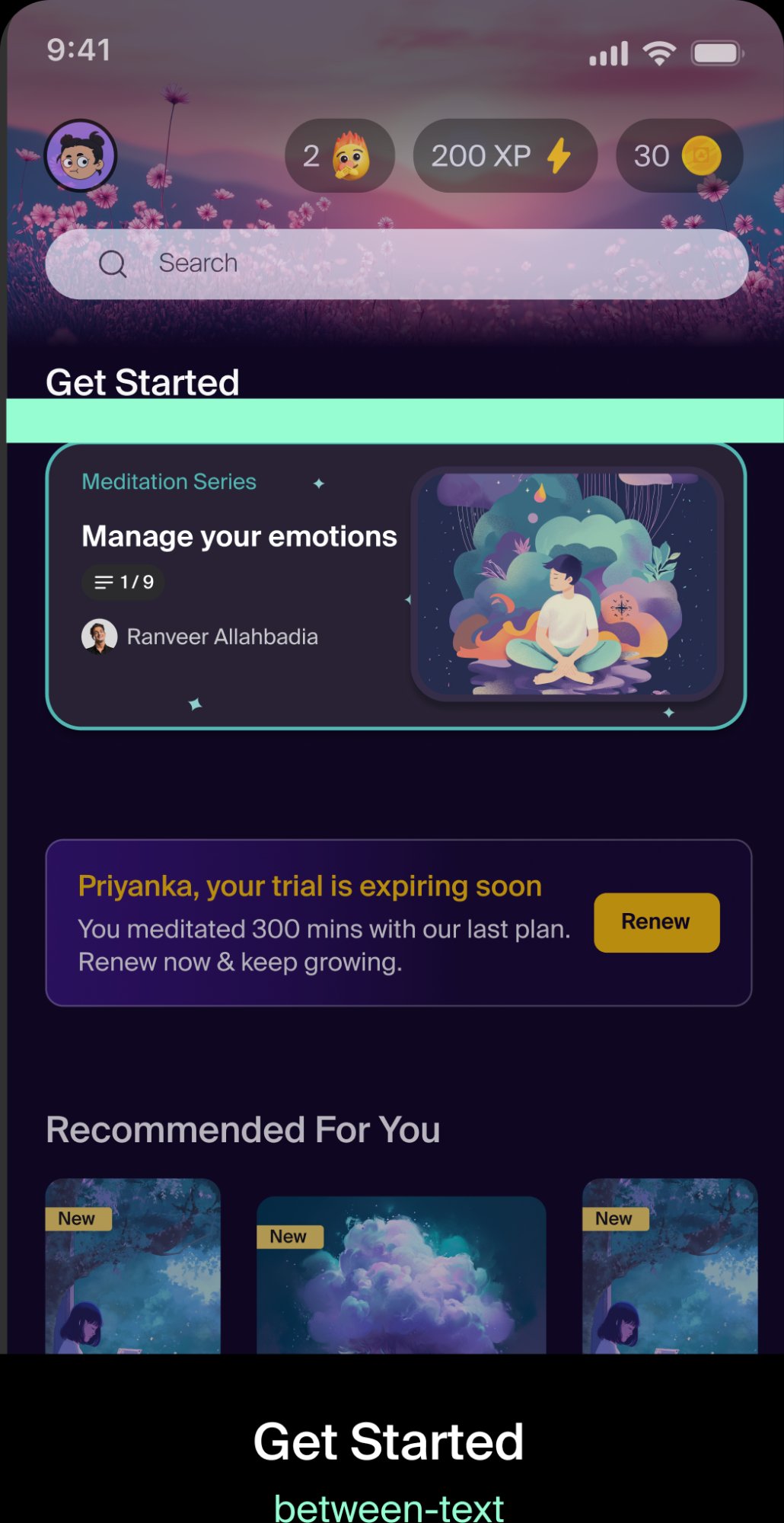
Get Started — Section Titles
between-text

The gap between a section title (e.g. "Get Started") and the content block below it uses between-text (size-20, 20px). Built into text styles — add manually when text blocks aren't in the same frame.

Do this
Use semantic tokens from the design system in your work.
gap: cards-between-large; // ✅ token reference
Avoid this
Don't use foundational tokens or custom values directly (unless special cases).
gap: size-40; // ⚠️ foundational — avoid
gap: 40px; // ❌ hard-coded — never

Semantic Token Reference
Quick reference for all semantic spacing tokens and their resolved values.
Semantic TokenFoundationResolvedAxis
screen-mobilesize-2020pxhorizontal
section-largesize-6060pxvertical
between-section-largesize-6060pxhorizontal
between-section-smallsize-4040pxhorizontal
cards-between-largesize-4040pxvertical
cards-between-smallsize-2020pxvertical
between-textsize-2020pxhorizontal
between-optionssize-1212pxhorizontal
chips-betweensize-1010pxvertical
component-defaultsize-2020pxboth
Priorities
Four priority levels define the visual weight of each button type.
Primary
The most important action to move forward in a flow, acknowledge and dismiss, or finish a task.
BG#6826EA
Text#F5EFE5
Secondary
Use secondary for providing alternatives to the primary action, or when none of your actions are more important than the others.
BG#151515
Border#6826EA
Tertiary
Use for less important convenience actions, controls, or navigation.
BG#F7F7F7 20%
Minimal
Dismissive actions — let users cancel, do nothing, dismiss, or skip.
Text#F5EFE5

Sizes
Three sizes — Large for primary flows, Medium for inline actions, Small for list items and dense UIs.
Large
Medium
Small
SizeHeightFont SizeFont Weight
Large48px16pxSemibold
Medium40px14pxSemibold
Small34px12pxSemibold

Usage — Primary
Always have one primary button per page where relevant. It can contextually change if another action needs to be completed first.
Do
Primary Do

Use one primary button per page to indicate the most important action.
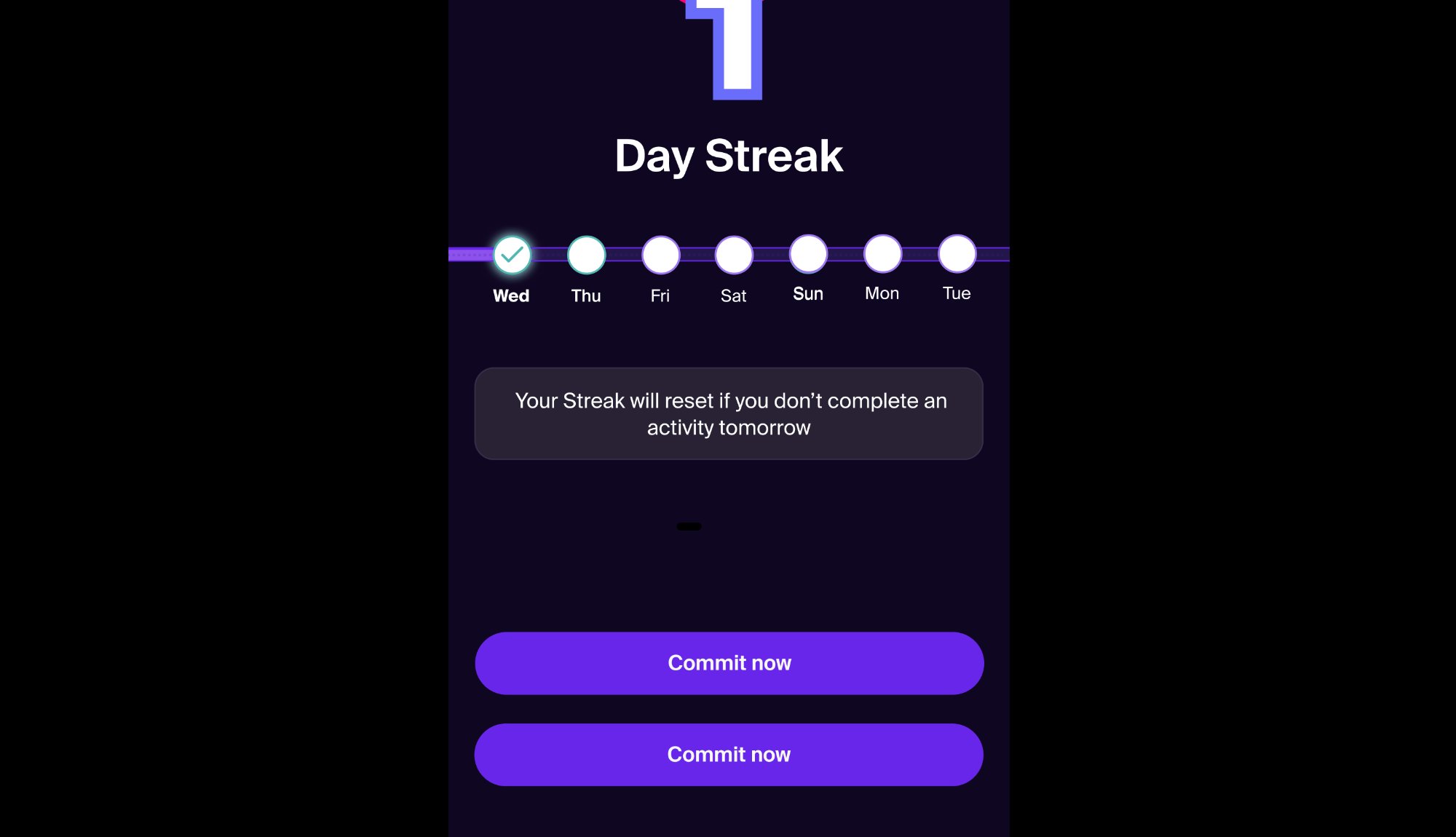
Don't
Primary Don't

Don't use multiple primary buttons on a single page — it removes hierarchy.
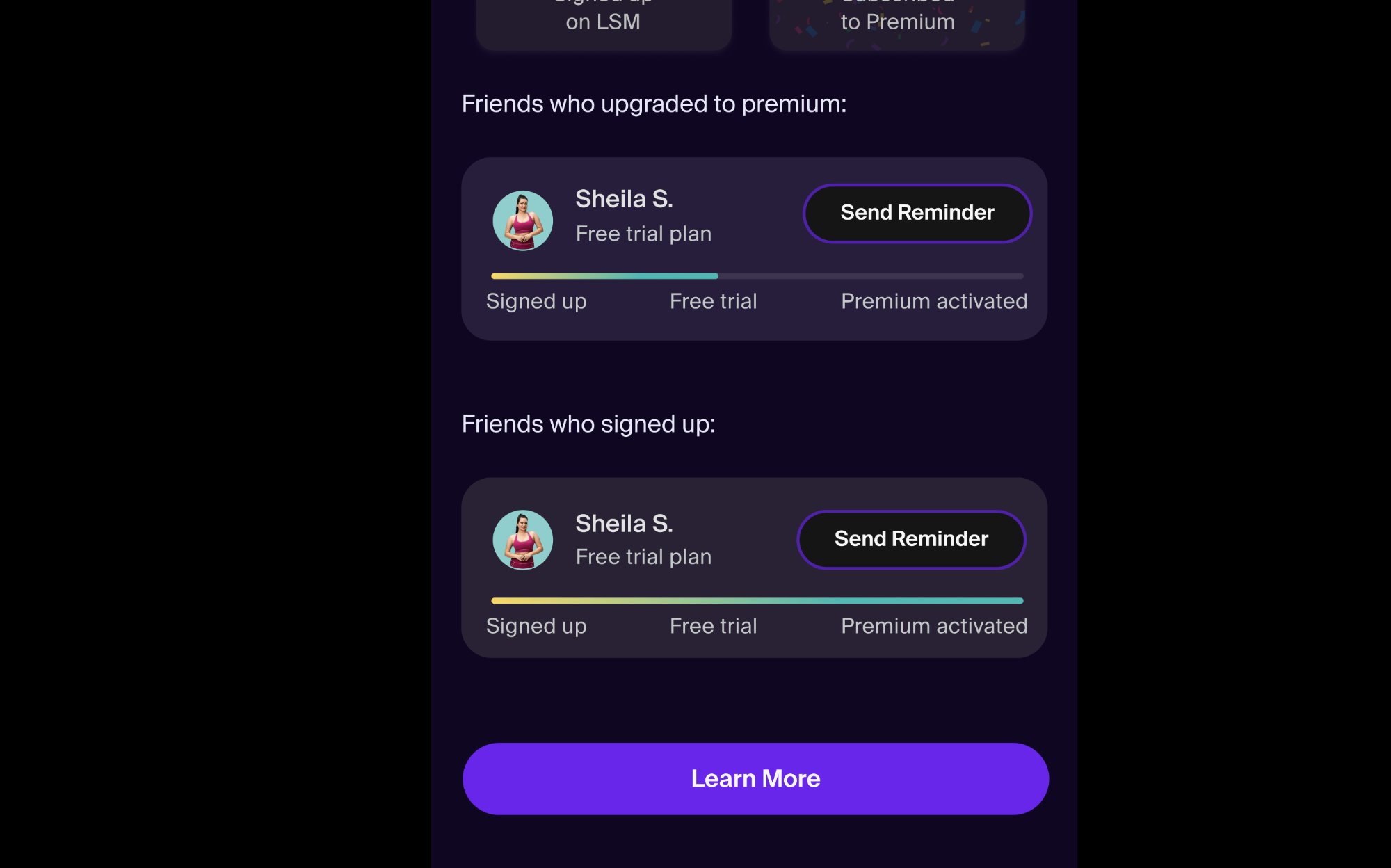
Usage — Secondary
Use secondary when you need to show multiple key actions at the same level of hierarchy.
Do
Secondary Do

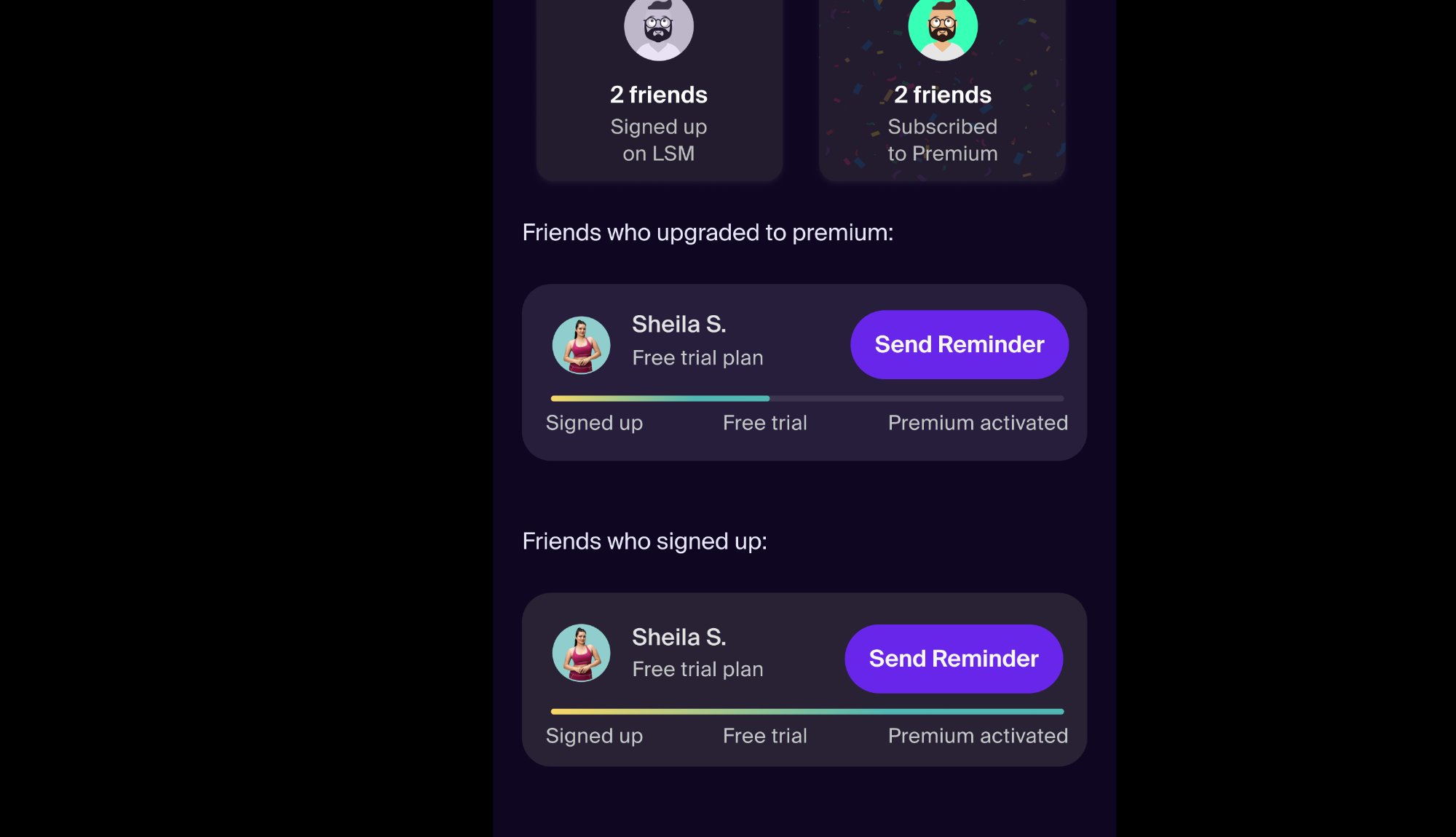
Use secondary buttons when you need to display multiple key actions at the same level of hierarchy — like "Send Reminder" inline in each card alongside a primary CTA below.
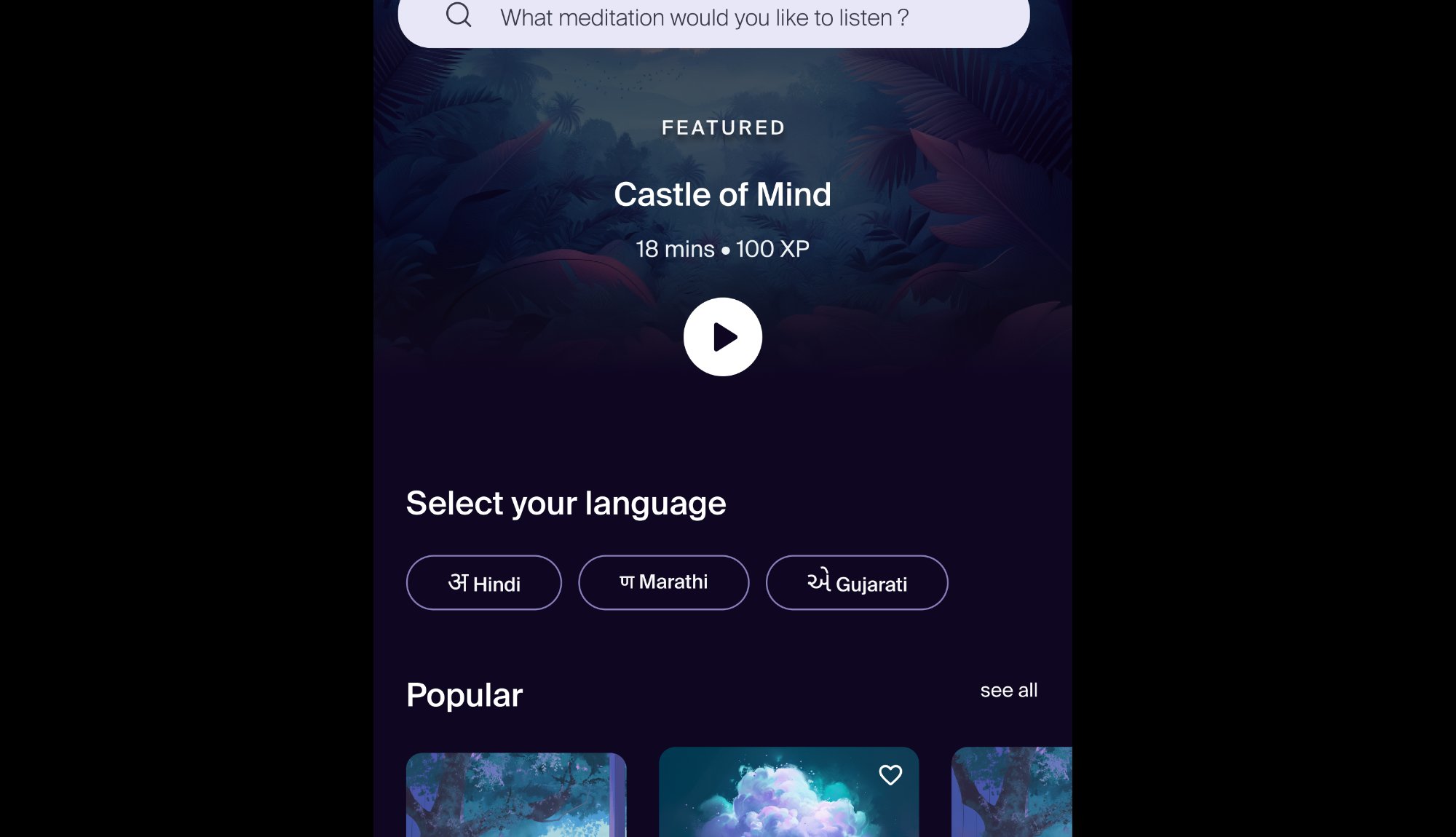
Usage — Tertiary
Tertiary works well for convenience or control actions. Avoid using it for dismissive actions — use Minimal instead.
Do
Tertiary Do

Use multiple tertiary buttons for convenience and control actions — like language selection where options are equal weight.
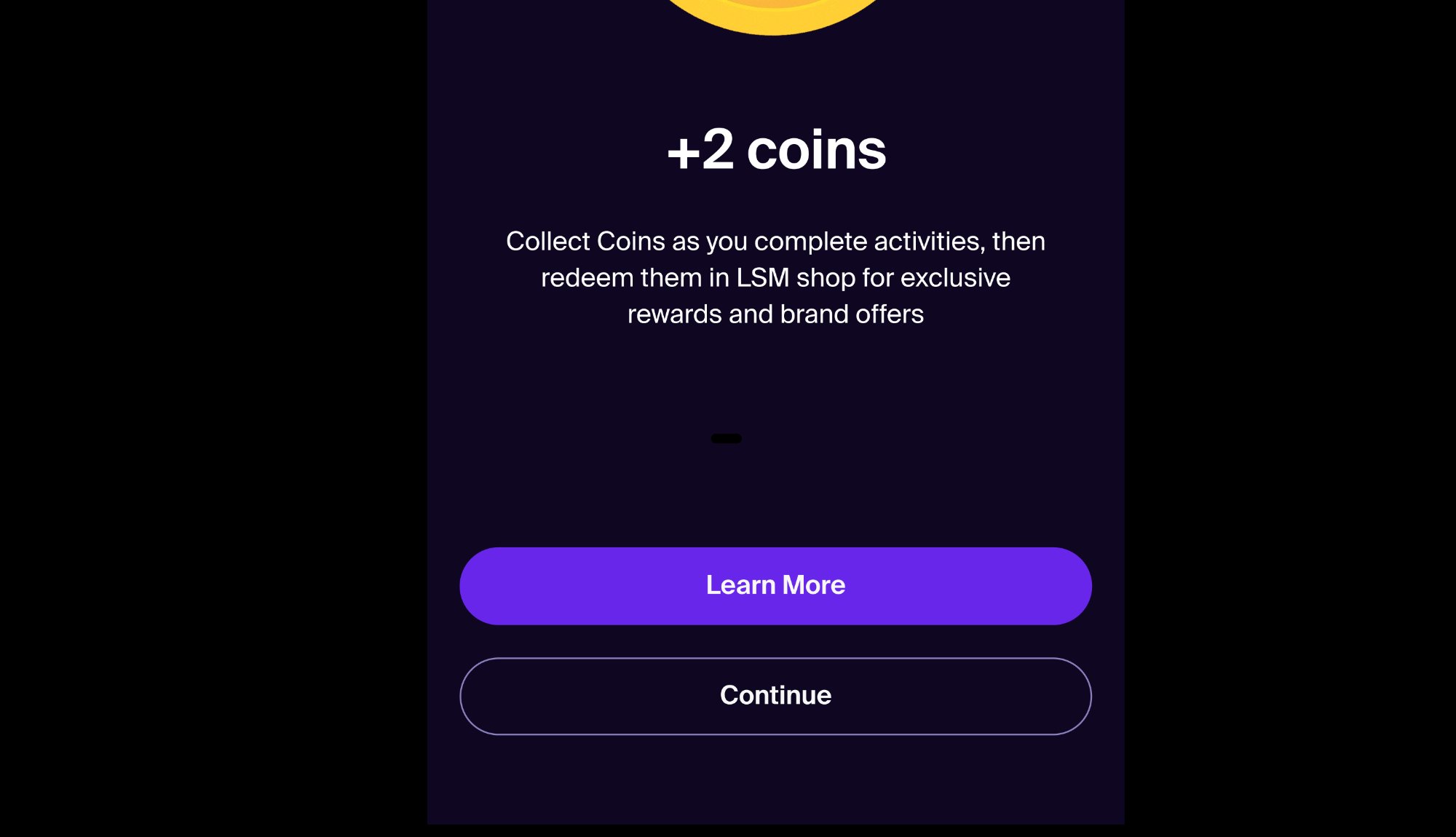
Don't
Tertiary Don't

Don't use tertiary for dismissive actions. Use the Minimal button type instead — "Continue" here should be Minimal, not secondary/tertiary.
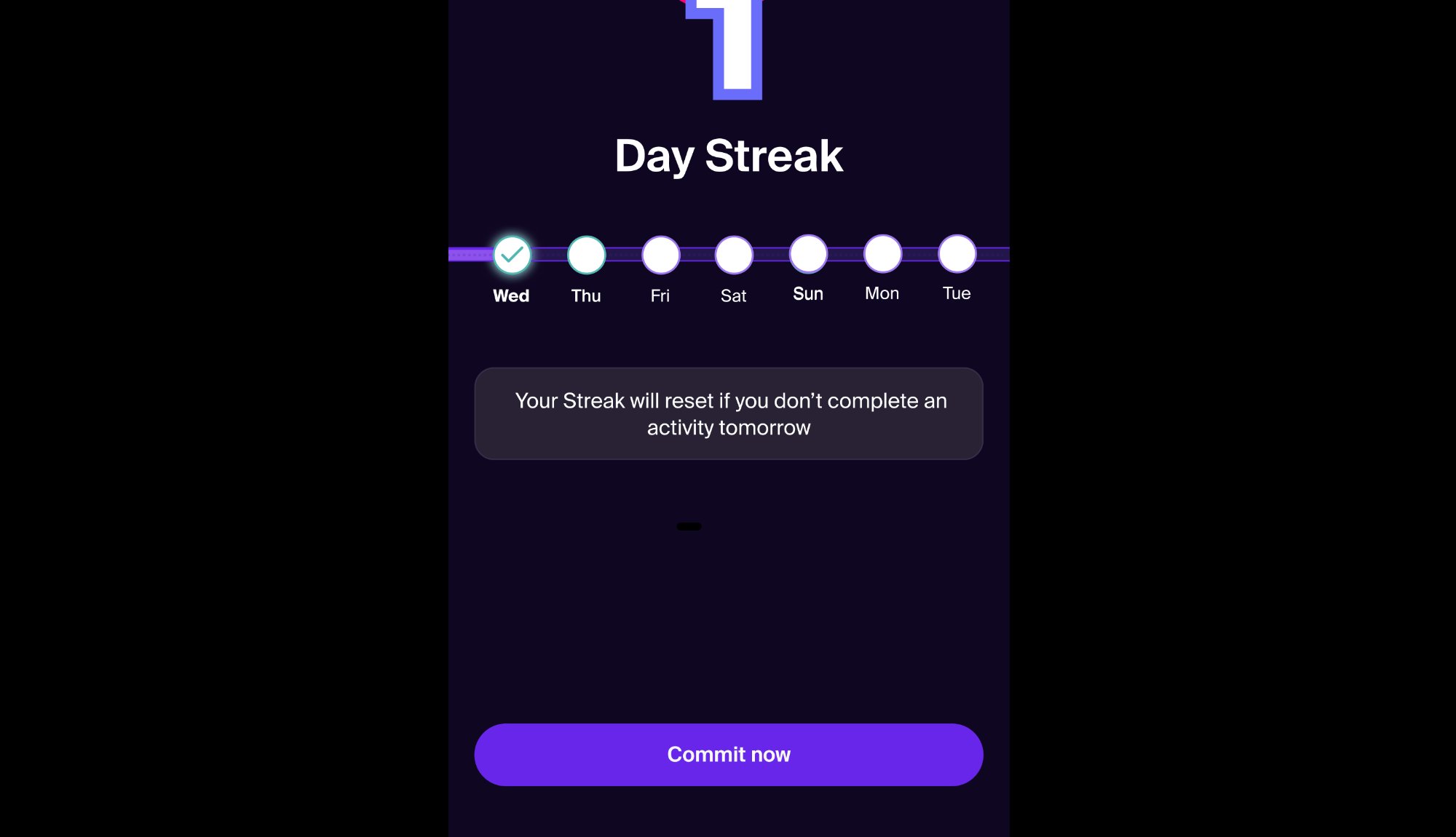
Usage — Large
The large button moves users forward in a flow. Full width on mobile, auto-width on desktop depending on use case.
Do
Large Do

Use the large button at the bottom of a page or content block to guide the user to the next step.
Don't
Large Don't

Don't use large buttons inside cards or list items — use the medium or small size instead.


Dark Theme Specs
Primary
BG#6826EA
Text#F5EFE5
Secondary
BG#151515
Border#6826EA
Tertiary
BG#F7F7F7 20%
Minimal
Text#F5EFE5
Card Variants
Six variants cover every activity display scenario in the app.
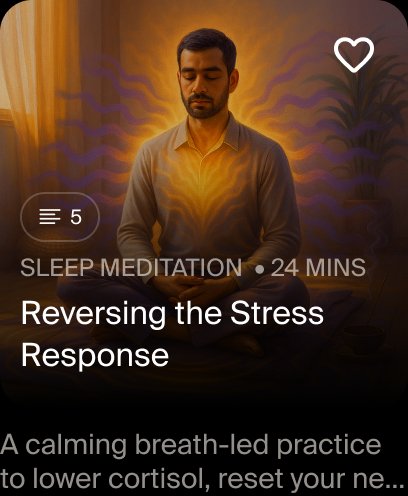
Series Card
Series Card
Show ☰ icon with total count (e.g. ☰ 5) to indicate a series.
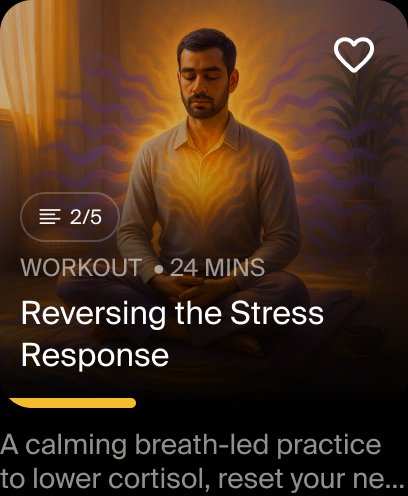
Continue Series Card
Continue Series
Show ☰ 2/5 progress notation and a yellow progress bar at the bottom.
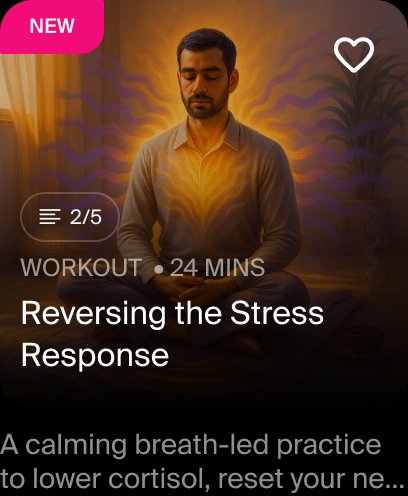
New Tag Card
New Tag
Show the NEW badge for newly added activities.
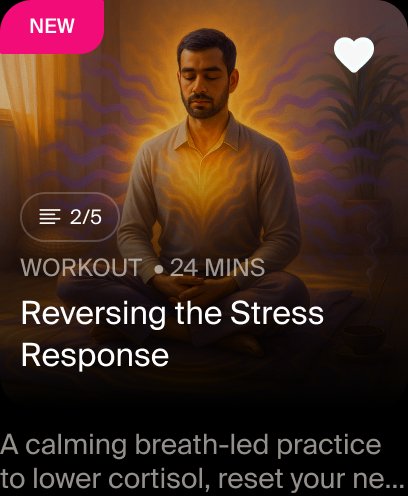
Like Icon Card
Like Icon
Fill the heart icon with #F7F7F7 when the activity is liked.
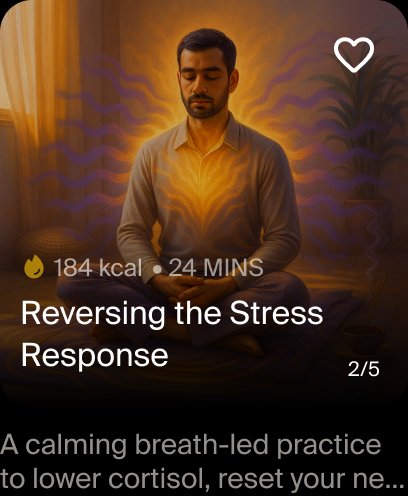
Workout Card with Calories
Workout (Calories)
Show 🔥 kcal count in place of activity type when calorie data is available.
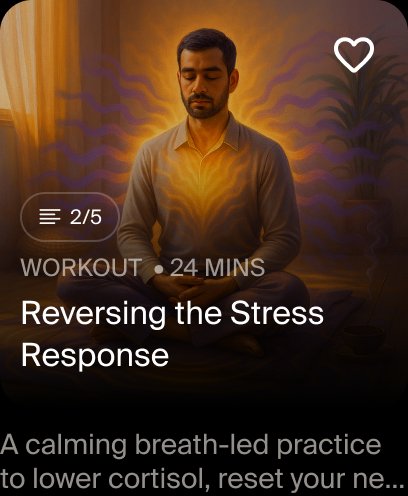
Workout Card without Calories
Workout (No Calories)
If calories aren't available, show WORKOUT as the activity type.

Anatomy & Typography
Text styles used within the Activity Card component.
ElementText StyleNotes
Activity Type / Series TagSubtitle12px Regular, uppercase, LS 0.06
Card TitleBody Large Bold16px Semibold
DescriptionBody Regular14px Regular, truncated
Rules
✓ Do

Show ☰ icon with series count (e.g. ☰ 5 or ☰ 2/5) to indicate a series or progress in one.

✓ Do

Fill the like icon with #F7F7F7 when an activity is liked by the user.

✕ Don't

Don't use the old "Meditation Series" label notation — the series type is now shown via the subtitle tag.

✓ Do

Show calorie icon 🔥 + kcal count for workout cards when calorie data is available.